Inside Sebastian’s library makerspace, the best project starts before the booking
North County’s library has sewing, audio, video and design tools. Learn what to bring, who can use the 3D printer and how to book a work session in Sebastian.
A family can go to the library in Sebastian to record an interview, stitch a seam, examine a slide or build a little circuit. All four are possible in the North County Library’s makerspace. What visitors should not expect is a class waiting to begin when they walk through the door. The county describes a self-directed room with equipment, materials and instructions. For someone who would like to try a project that requires tools they do not own, that distinction shapes everything from what to put in a bag to how much time to reserve.
The room is at the North Indian River County Library, 1001 Sebastian Boulevard. It is separate from the downtown Vero Beach library and the Brackett branch on the college campus. To reserve time the county asks patrons to call the North branch children’s department at 772-400-6358. Adults can use the room too. The department taking the booking and the ages of the people a reservation can serve are different things. The county lists branch locations and contact details.
Match the project to the time
Reservations are available up to seven days ahead, in blocks of one or two hours. A patron may have additional time if nobody is booked next. Treat the booked period as the time available when choosing the size of a project. Someone recording an oral history could use a first visit to test the microphone, record a short introduction and learn how to save the file. That is a manageable outcome in its own right. Recording an entire family history and producing a polished edit in the same session is a very different undertaking.
The county sets a maximum of 12 people in the room. Each person, including each child, needs a signed agreement. One member signs the party in and out at every visit, and one must show a library card, driver’s license or official identification. An adult must accompany anyone 17 or younger throughout the visit. There is no minimum age to enter, but the county says the activities are designed for elementary-age children and older. A family with a preschooler should plan around the supervision that the room requires while another child works.
The room operates on one project, kit or tool at a time per group. Staff retrieve the materials, and patrons may not search storage bins themselves. Imagine several relatives arriving with plans to sew, engrave and record at once. A better use of a single booking would be to choose one shared project or plan separate future visits. The limit also makes the telephone reservation a chance to ask one specific question about equipment availability, instead of arriving with several projects that compete for the same hour.
Bring a file, fabric or vinyl with a purpose
For a cutting project, patrons bring their own vinyl or other applicable supplies for the Cricut. For engraving, the library directs the visitor to bring the image on a flash drive, consult the laminated instructions and use the tutorial on the laptop. Small wooden pieces are available for the engraver. Thinking about the material and the design before leaving home saves a familiar disappointment. The library can offer the machine and guidance on its documented use, but a machine cannot recover an image saved only on an inaccessible computer somewhere else.
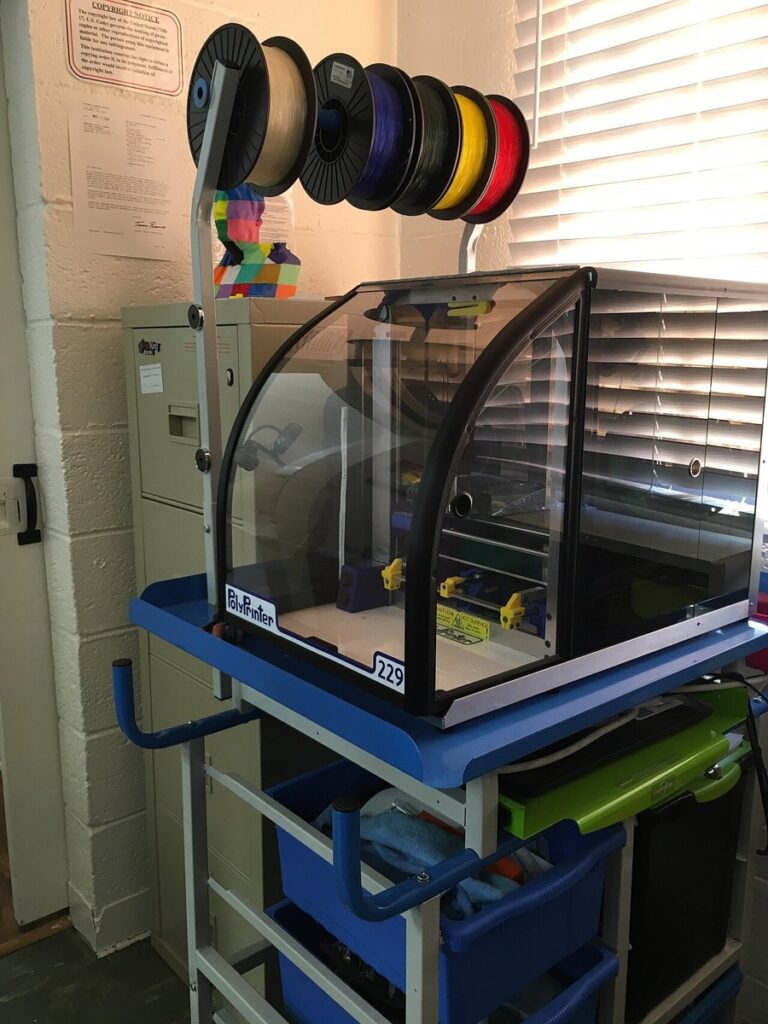
The 3D printer has a different entry point. The county limits its use to patrons who already have experience with the machine and software and directs them to staff for assistance. It should not be the first choice for a child who wants an introductory activity involving shapes or structures. The supplied wooden construction planks provide a way to explore balance, ramps and spans with immediate feedback. Snap circuits, building bricks and prepared microscope slides offer other ways to spend a session without first mastering design software.
A sewing machine is available with printed instructions and a video tutorial. For someone looking to try a particular stitch, a small sample of the fabric intended for the final project can make the exercise more useful. A beginner can learn whether the machine and material work well together before bringing a large piece to the table. The button maker offers another small-scale project. The library supplies some materials but asks people making more than two buttons to provide their own additional supplies. Check the size and requirements before buying a batch.
Record something worth bringing home
The audio and video setup includes microphones, headphones, a USB studio interface, a digital video recorder and a green screen. The laptop provides Audacity and DaVinci Resolve. A neighborhood group that wants to make a short video could use a visit to capture one clear introduction and test the background. A family doing an interview could prepare three questions and practice listening to the recording on headphones before continuing. Those choices improve the chance of discovering an unsuitable microphone position while everyone is still in the room.
Ask staff how to save and take home the finished media. An editing project on a library laptop and a playable file exported for family members are different items. Allow part of the booking for that final step. Check that the result plays from the storage you intend to take home. For a recording involving personal history, agree beforehand with the people speaking about who will receive the result. The county notes that the room itself has a security camera in operation. It is a shared public workspace.
Leave time to put the room back together
The county’s makerspace inventory and rules explain where instructions are provided and which supplies generally come from the user. The library describes a condition check before patrons depart and distinguishes replacement charges for negligent damage from routine use. Water is allowed only at the designated table. For a project with several small components, build cleanup into the reservation so staff can confirm that pieces and tools have been returned. A group that finishes ten minutes early can still use that time to note what it learned or what it wants to book next.
The distinctive resource in Sebastian is the opportunity to work on a real object or recording before deciding whether a tool belongs at home. A repaired seam, a short audio file or a button made from a child’s drawing can be a complete result. A well-chosen first project makes a second visit easier to plan and gives the library’s shared equipment a clear purpose the moment the reservation begins.